
Redline
How to redline drawings (PDF) on a PC or tablet
Open the set, cloud the change, note it and send back a PDF the office can keep editing.
Guides
Short, step-by-step guides to the jobs you do on a print every day: redlining drawings, marking as-builts, counting devices and measuring to scale. For a one-minute video of each tool, see the how-to videos.
Redline
Open the set, cloud the change, note it and send back a PDF the office can keep editing.
As-builts
What goes on an electrical as-built, how to mark it as you go, and what to hand over at closeout.
Electrical
What an electrician needs from a PDF markup app, from symbols and counts to an editable export.
Count
Count by clicking, or box one symbol and let Find & Count mark the rest. Then check the total.
Measure
Set the scale, measure lengths and runs in feet and inches, and work out square feet.
Switching
Why crews switch, who it suits, and how to start without changing how the office works.
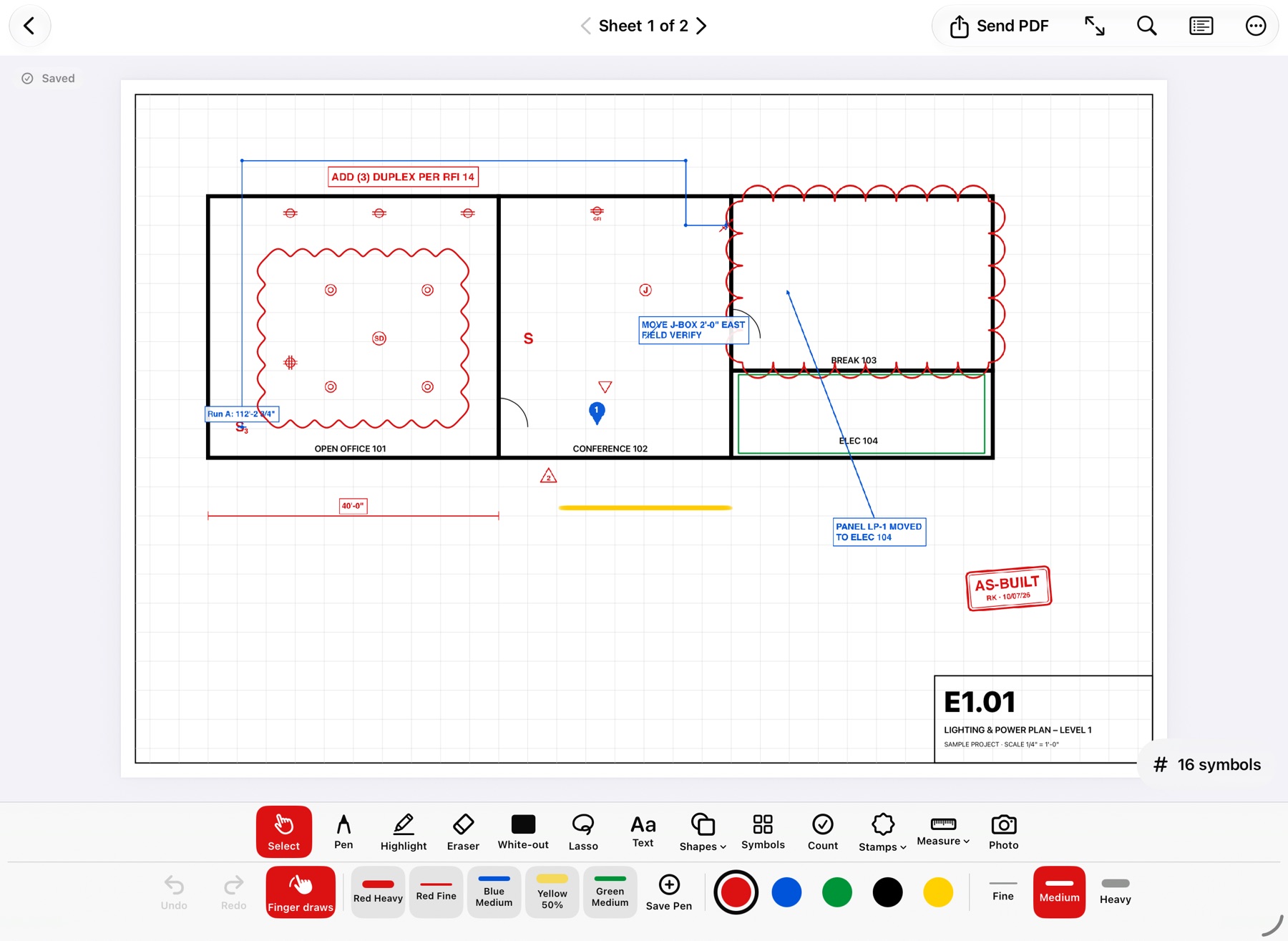
The sample drawing, redlined. Clouds, receptacle symbols, a measured run, a note and an AS-BUILT stamp on sheet E1.01.
Rough-In Redlines for Windows is available now, free for 3 drawings. iPad, iPhone and Mac are coming soon; Android tablets are in development. Comparing apps? See PDF markup apps compared and the FAQ.
Free for 3 drawings on Windows, every tool included, no account. Pro is $39.99 once. The iPad, iPhone and Mac app is coming soon.