
What goes on an electrical as-built
The as-built is the record of what's really in the building. The next electrician, the owner's maintenance crew and the engineer updating the record drawings will all trust it. Record anything that doesn't match the drawing:
- Devices that moved, were added or were deleted: receptacles, switches, fixtures, data drops.
- Circuit and panel changes: new circuit numbers, homeruns to a different panel, spares used.
- Conduit routes that went another way, especially anything concealed or underground.
- Equipment that changed size or location: panels, transformers, disconnects.
- Field directions: changes made on the GC's or engineer's word, with who said it.
How to mark as-built redlines, step by step
- Start from the current set. Open the latest revision. When a new one comes out, compare it to the old print and bring your markups over instead of redrawing them.
- Mark changes the day they happen. A redline made at the end of the week is a guess. Cloud it while you're standing in the room.
- Cloud it and say what changed. Drag a revision cloud around the change and add a note beside it: “Box moved 4' east per GC”, “Circuit 14 now on LP-2”.
- Draw the device that went in. Place the real symbol from 600+ trade symbols in 18 libraries, and use the pen for the route the conduit actually took.
- Dimension concealed work. For anything going in a wall, slab or underground, measure from a fixed point, like a column line or an outside wall, so someone can find it later.
- Pin a photo. Drop a photo pin right where you took the picture: the box above the ceiling, the sleeve before it was sealed.
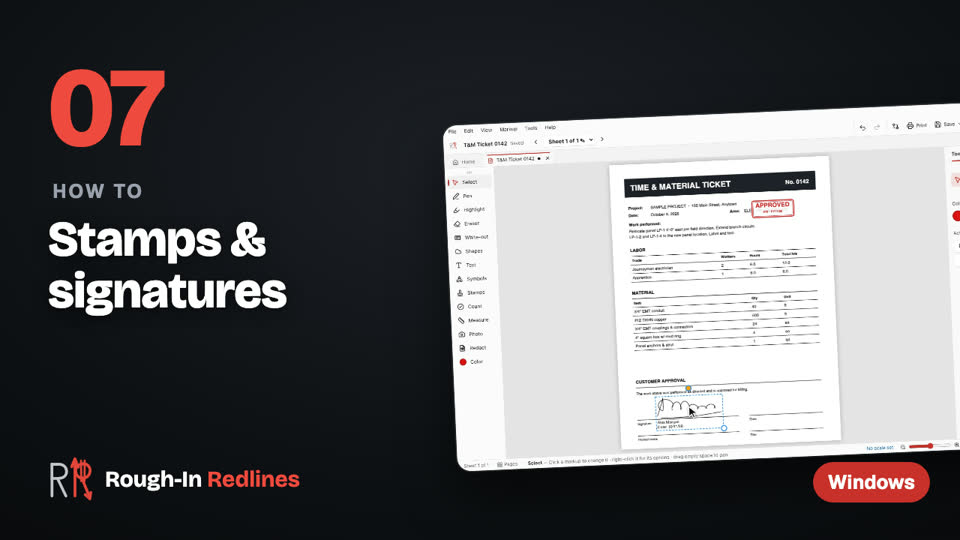
- Stamp the sheet AS-BUILT. The stamp adds your initials and the date, so everyone knows who marked it and when.
- Send the office the set. Export the PDF for Bluebeam / Acrobat so the markups stay editable, or a flattened PDF with photo and count pages for the closeout package.
 Video
Video
Stamps & signatures. Stamps with your initials and the date, and a signature you draw once. Steps written out.
Tips from the field
- One set, one owner. Pick one person per area to keep the as-builts, so two foremen don't mark the same change two ways.
- Don't trust memory. If you can't mark it now, take a photo and pin it on the sheet later the same day.
- Write it for a stranger. The person reading it in five years has never been on your job.
- Count while you're there. If the office wants totals, count the devices on the PDF and send the counts with the set.
- Panel directories. Panel schedules with directory cards are on the iPad today and come to Windows in the next update Next update.
Start your as-builts on the PC today. Free for your first 3 drawings on Windows 10 & 11, every tool included, no account. Pro is $39.99 once.
Free · Microsoft StoreWhat the office gets
The PDF for Bluebeam / Acrobat keeps every cloud, note and symbol editable, with your initials, the subject and the date. The PM can review it, reply and pass it to whoever updates the record drawings. The flattened PDF has the markups burned in, with photo and count pages, and opens anywhere. Big set? Send just the marked-up sheets.
Want the full workflow for any redline, not just as-builts? See how to redline PDF drawings.
Questions people ask
- What's the difference between redlines and as-builts?
- Redlines are any marks showing a change on a drawing. As-built redlines are the set of those changes that records what was actually installed, handed over at the end of the job.
- Who updates the record drawings?
- Usually the contractor marks the as-built redlines in the field, and the engineer, architect or a drafter uses them to update the record drawings. Your contract and spec say who does what.
- Can I mark as-builts with no signal on site?
- Yes. Rough-In Redlines works offline and keeps your drawings on your device. You only need a connection to send the set.
- Can the office edit my as-built redlines?
- Yes. Send the PDF for Bluebeam / Acrobat and the markups open as editable markups with your initials and the date.