
Before you measure: get the scale right
A measurement is only as good as its scale. Construction PDFs usually print it in the title block or under each drawing, but details, enlarged plans and site plans on the same sheet often use different scales. And if a set was reduced to a smaller paper size, the printed scale no longer matches the drawing. Thirty seconds of checking saves a wrong order.
How to measure to scale on a PDF, step by step
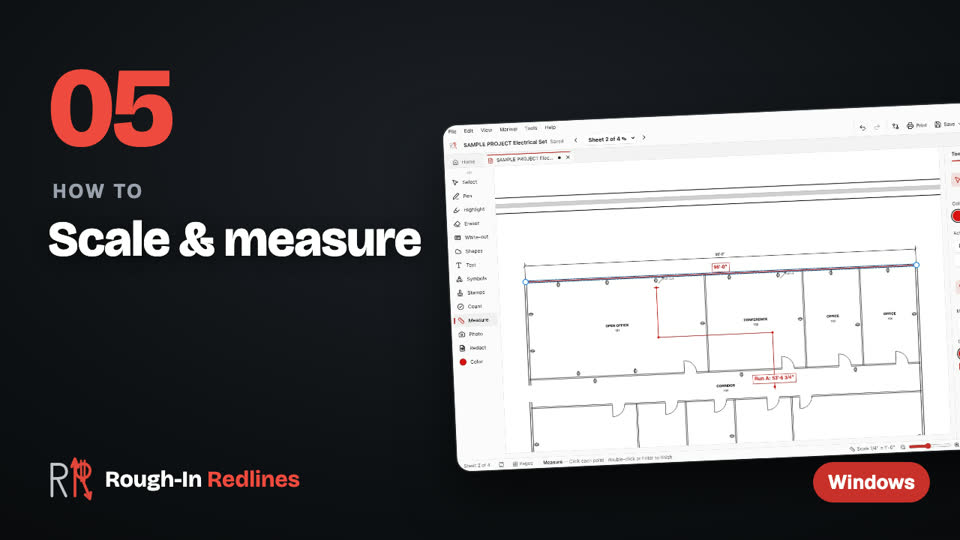
- Pick Measure. Rough-In reads the scale printed on the sheet, like 1/4" = 1'-0".
- Use the scale. Click Use it to measure with that scale.
- Measure a distance. Click two points. The length shows in feet and inches.
- Measure a run. Click each point along the route, then double-click to finish.
- No scale on the sheet? Calibrate. If the sheet says NTS, or it was printed at another size, calibrate: measure a dimension you know and type its real length.
 Video
Video
Scale & measure. Use the scale printed on the sheet, measure distances and runs, or calibrate from a known dimension. Steps written out.
Tips for measurements you can trust
- Check against a known dimension first. Measure a dimensioned wall or a door. If it's off, calibrate before you go further.
- Watch for mixed scales. A detail at 1/2" = 1'-0" next to a plan at 1/8" = 1'-0" needs its own scale.
- Zoom in on the ends. On a big sheet, a click that's a little off can be a foot or more.
- Measure runs along the route. Click each turn, not just the two ends, and add your own allowance for drops and bends.
- Photos and screenshots work too. Open a site photo or a map screenshot, calibrate off a length you know, like a scale bar, and measure.
Measure your next set to scale. Free for your first 3 drawings on Windows 10 & 11, every tool included, no account. Pro is $39.99 once.
Free · Microsoft StoreHow to find square feet on a PDF
Today: measure the length and width and multiply them. A room 24' 6" by 18' is 24.5 × 18 = 441 square feet. Split an L-shaped room into rectangles, work out each one and add them up.
Coming in the next update Next update: an area tool, so you can trace a room, a roof or a lot and get the area in square feet directly. The same update adds snap to the drawing, so points land on line ends and corners, and lengths shown on lines and boxes while you draw.
Sending measurements to the office
The Counts CSV includes your runs alongside the symbol counts, for the estimator. The PDF for Bluebeam / Acrobat keeps your measurements as markups the office can see, and a flattened PDF burns them onto the sheet. Counting devices too? See how to count devices on a PDF.
Questions people ask
- Can I find square feet on a PDF today?
- Today you measure the length and width in feet and inches and multiply them. An area tool that gives square feet directly is coming in the next update.
- Does it read the scale automatically?
- Yes. Pick Measure and it reads the scale printed on the sheet. Click Use it, then measure.
- What if the drawing says NTS?
- Calibrate from a dimension you know: measure it on the sheet and type its real length. That works on photos and screenshots too.
- Can I measure conduit runs?
- Yes. Click each point along the route and double-click to finish. The run shows in feet and inches, and goes out in the Counts CSV.